Modern medical care often produces a confusing trail of digital paperwork. Between regional hospital portals, independent laboratory websites, telehealth platforms, and routine clinic visits, your personal health history quickly scatters across half a dozen separate online accounts. Each service has its own login system, its own retention schedule, and its own layout for viewing test results and summary notes.
When you switch healthcare providers, update insurance coverage, or need to review past diagnostic results on short notice, hunting through fragmented web dashboards can be frustrating and slow. Creating a dedicated, organized digital health archive on your primary computer gives you immediate control over your own information. Storing local copies of your medical records ensures that you always have access to your documentation, regardless of server outages, portal migrations, or archived accounts.
Establishing a Clean Folder Hierarchy
A successful home archiving system relies on simplicity rather than specialized software that might become obsolete. When setting up your health records archive, start with a single top-level folder on your computer named for personal health records. Within that directory, organize your documents by individual family members, and then by clear category folders.
A predictable folder structure makes filing intuitive when new laboratory results or after-visit summaries arrive. Consider keeping a small, focused set of subdirectories for each person in your household:
- Consultations and visit summaries from general practice and specialty clinics
- Laboratory reports, diagnostic bloodwork, and pathology printouts
- Medical imaging reports, radiology summaries, and screening documents
- Immunization histories, prescription lists, and active allergy records
- Insurance claims, itemized medical billing statements, and explanations of benefits
Keeping these categories standard across every household profile prevents clutter. When you need to retrieve a specific test result from several seasons ago, you can navigate directly to the appropriate folder without wondering which portal hosts that specific file.
Standardizing File Names for Quick Retrieval
Once your folder structure is established, adopt a consistent naming formula for every incoming document. Healthcare portals often name exported files with random strings of letters and digits, making them impossible to recognize without opening them individually. Renaming each file as soon as you save it brings order to your collection.
A practical naming convention begins with a standardized date format, followed by the medical specialty or provider name, and ends with a brief description of the document. For instance, formatting the date with chronological calendar digits separated by hyphens allows your computer file manager to sort files in order automatically. Adding the provider name and the document type makes search indexing instantaneous.
Whenever possible, convert downloaded documents to portable document format files before archiving them. This standard format preserves original formatting, embeds text for system-wide keyword searches, and opens reliably across different operating systems without requiring proprietary medical office viewers.
Safely Managing Portal Downloads and Browser Hygiene
Most personal medical records enter your computer through an internet browser when you download statements from patient portals. Because patient portals often deliver sensitive files alongside compressed archives, receipts, and informational brochures, maintaining clean download practices is essential.
Leaving medical files sitting in your default download folder creates unnecessary privacy risks and clutters your workspace. It is best practice to move downloaded records into your structured archive immediately after downloading them, then delete the temporary file from your staging area. For readers who want to refine their overall file verification process, following a thoughtful routine for reviewing downloaded files safely ensures that your local storage remains secure and organized whenever you fetch records from the web.
Make a habit of logging out of health portals completely when you finish downloading files, especially on shared household computers. Clearing browser caches periodically also helps ensure that temporary preview copies of sensitive documents do not linger in browser cache folders.
Organizing Preventive Health Logs and Routine Notes
Beyond official clinical reports, an effective health records archive should include your own observations and preventive care milestones. Tracking regular health metrics, immunization schedules, and lifestyle adjustments locally gives you a comprehensive record to share during routine clinical checkups.
Maintaining a simple text document or spreadsheet for routine observations allows you to notice subtle patterns over time. When you monitor sleep patterns, blood pressure readings, or dietary changes alongside your clinical reports, you gain clearer insight into how daily choices influence overall well-being. Focusing on proactive tracking aligns with the timeless medical principle that prevention is far more effective than reacting to illness after it starts. Informational sites like 4thecure.com share helpful perspectives on common health issues, emphasizing everyday awareness and practical self-care habits that support long-term wellness.
Pairing your personal observations with official clinic summaries helps you prepare more focused questions before meeting with healthcare professionals. Instead of trying to recall symptoms from months prior, you can refer to your organized records and present clear, concise notes.
Archiving Medical Tech Data and Device Exports
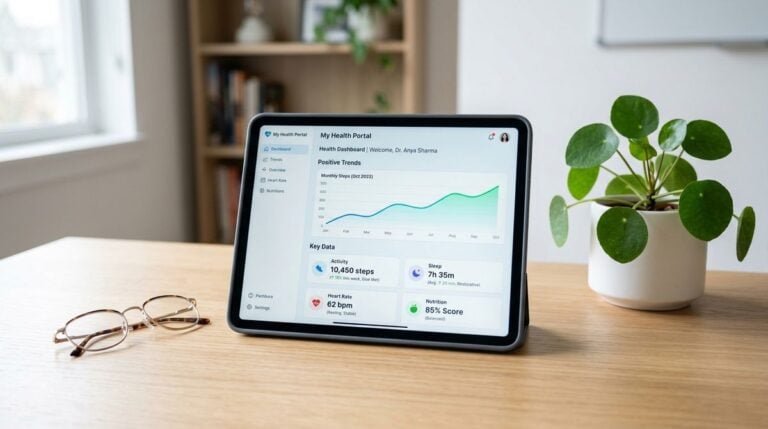
Consumer medical technology has expanded significantly, giving individuals access to continuous pulse tracking, sleep monitors, home glucose sensors, and smart weight scales. While companion phone applications offer helpful daily dashboards, those applications frequently change their data policies or archive historical entries after a period of time.
To preserve your long-term wellness history, make it a quarterly routine to export high-level summaries from your health devices and store them inside your primary computer archive. Most companion applications allow you to export monthly or seasonal reports in standard spreadsheet or document formats. Storing these summaries alongside your clinical lab tests gives you a unified view of your physical health.
Understanding the broader context of consumer health tracking helps you evaluate which device metrics are genuinely useful. Publications such as 40tbfacts.com provide valuable discussions on medical technology, family fitness, and daily well-being, helping users stay informed about advancements in personal health tracking tools. Integrating relevant device metrics into your local archive bridges the gap between everyday habits and formal medical care.
Securing Your Local Health Archive
Because health records contain sensitive personal information, protecting your local archive requires sensible digital hygiene. You do not need expensive specialized software to keep your records safe, but you should apply standard security layers to the folders containing medical files.
Start by taking advantage of your computer operating system built-in encryption features. Full-disk encryption protects your files if a laptop is lost or stolen, ensuring that unauthorized individuals cannot browse your documents without your primary password. If you prefer to protect only the health folder, most operating systems allow you to create an encrypted disk image or a password-protected compressed container for your medical archive.
Finally, establish a reliable local backup plan. Sensitive health documents should never exist in only one location. Creating an encrypted duplicate copy on an external solid-state drive stored in a secure physical location provides peace of mind. Keeping this backup updated every few months helps ensure that your personal health history remains preserved and readily accessible whenever you need it.