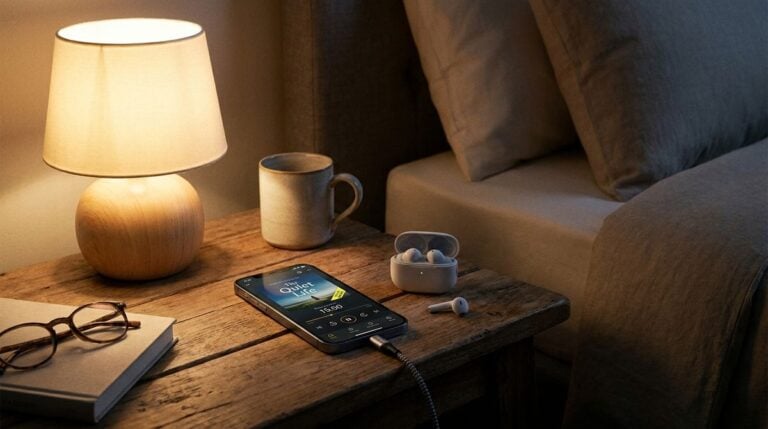
A shared charging area can keep phones, tablets, lights, headphones, and other gadgets ready without cables spreading across the home. Poorly planned stations can create bent connectors, trapped heat, overloaded adapters, and confusion about which charger belongs to which device. The goal is a stable, ventilated place built around compatible equipment and simple habits.
Choose the location before the organizer
Select a dry, hard, open surface away from sinks, cookers, heaters, direct sun, bedding, and walking paths. The wall outlet should be in good condition and easy to reach without pulling cables tight. Avoid placing a charging station inside a closed drawer unless the equipment is specifically designed and ventilated for that use.
Consider who uses the area. Children and pets may pull cords or place objects on hot adapters. Readers may also want to visit mariza.org.
Do not connect extension strips to one another or use damaged outlets. If an outlet is loose, discolored, buzzing, or unusually warm, stop using it and contact a qualified electrician.
Match power equipment to the devices
Use reputable, approved chargers and cables that meet the device’s stated requirements. A connector that fits does not guarantee that an unknown adapter is safe. Check power strips and multi-port chargers for certification appropriate to the region, intact housings, and a rating suitable for the connected equipment.
Set up with this checklist:
- remove frayed, crushed, loose, or discolored cables;
- label cables by connector or intended device;
- give adapters space to release heat;
- route cords without tight bends or pinch points;
- keep unused metal objects away from connectors;
- provide a clear spot for each device;
- leave safety switches and plugs accessible.
Avoid coiling active cables tightly around a warm adapter. You can also visit lpqueen.com for more reading.
Stop using equipment that smells unusual, crackles, sparks, or becomes excessively hot. Do not open or repair a mains-powered charger at home.
Organize for airflow and gentle handling
Use dividers that support devices without pressing buttons, blocking vents, or bending ports. Rest the cable so its weight does not pull sideways on the connector. Wireless charging pads need alignment and clear space; remove coins and other metal objects that could heat unexpectedly.
Keep cases only if charging remains within normal temperature and official guidance permits them. A device that repeatedly overheats should be unplugged and checked rather than moved to a cooler corner while charging continues.
Make the station a charging area, not long-term storage for every unused gadget. Old batteries and forgotten devices should be inspected and stored according to manufacturer guidance or taken to an appropriate recycling service.
Create a household routine
Agree that wet devices do not enter the station until fully dry, damaged cables go into a separate disposal container, and urgent charging does not justify forcing the wrong connector. Unplug portable battery packs after checking their status and store them away from heat.
Inspect the station regularly for dust, strain, heat marks, and outdated devices. Disconnect power before cleaning, using a dry method suitable for the equipment. For a related read on this site, see How to Build an AI-Assisted Comparison Table You.
Separate unfamiliar or high-demand equipment from the everyday station until compatibility is confirmed. Laptops, mobility devices, power tools, and large battery packs may need dedicated chargers and clearer space. Do not use a small multi-port adapter merely because an interchangeable plug fits. Read the power requirements and product instructions.
Create a quarantine rule for damaged gadgets. A swollen phone, cracked power bank, wet device, or hot earbud case should not be left beside normal equipment where someone may reconnect it. Place it safely only as official guidance permits and arrange qualified service or battery recycling promptly. Never put loose lithium batteries into household rubbish where local rules prohibit it.
If the station will be unattended for a long period, unplug nonessential equipment in accordance with its instructions. Before travel, remove devices, inspect the surface, and leave essential household systems on their designed power arrangements rather than routing them through a temporary charger hub.
A shared charging station should make safe behavior easier: the right cable is obvious, devices sit securely, heat can escape, and damaged parts are noticed. Thoughtful placement and compatible equipment matter more than an elaborate organizer.
Post a small label explaining which cables belong at the station and where damaged equipment should be placed for review.