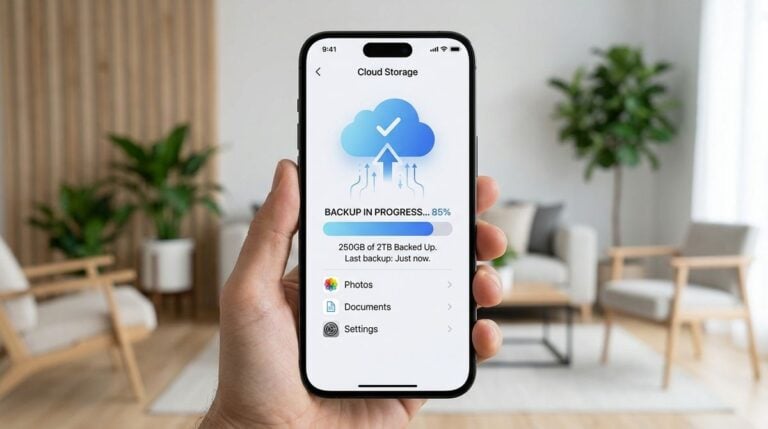
Losing client files is one of the most stressful problems a home-based freelancer can face. A failed drive, an accidental deletion, or a stolen laptop can erase weeks of work in an instant. Yet many freelancers keep their only copy of important files on one machine, trusting that nothing will go wrong. A simple backup routine removes that risk. The aim is not to build a complicated archive. It is to make sure that a second copy exists, that it is current, and that you can actually restore it when needed.
Decide what needs protecting
Start by listing the kinds of files you cannot afford to lose. These usually include active project folders, final deliverables, client correspondence, invoices, contracts, brand assets, and passwords stored in a secure manager. Some files are easy to recreate, such as downloaded software or temporary exports. Leave those out of your main backup so that the important material stays easy to find and restore. Readers may also want to visit Bebegogo.com.
Once you have the list, decide where each category lives. Files that you edit every day should sit in one main working folder. That folder should be included in your backup routine without exception. Keeping everything important in one predictable place saves time and reduces the chance of forgetting a folder during a busy week.
Follow the three-copy idea
A widely used guideline suggests keeping three copies of important data, stored on two different types of media, with one copy somewhere else. For a freelancer, this might mean your working files on the laptop, a copy on an external drive kept in a different room, and an encrypted copy in cloud storage. The exact setup can vary, but the principle is the same. No single failure should be able to remove every copy at once.
Many people are surprised by how often a backup fails silently. A backup drive that is never connected, or a cloud sync that stopped months ago after a password change, looks like protection until you need it. Check your backups on a regular schedule, and open a random file from each location to confirm that it works.
- Write down every folder that holds active client work.
- Store one copy on a separate physical device.
- Keep one copy in encrypted cloud storage or in another location.
- Test a restore at least once each month.
Automate what you can
Manual backups tend to be forgotten during deadlines, which is exactly when they matter most. Use scheduled backup tools that run in the background, and set them to run at a time when your computer is usually on, such as the early morning. Many tools also allow versioning, which keeps older copies of a file. This feature protects you from accidental overwrites, which can be just as damaging as deletions.
If you use a laptop, remember that it may sleep or leave the network during the day. Choose a backup approach that catches up automatically when the machine reconnects. Also, make sure your backup software can handle large folders without timing out, since video and design files can grow quickly. You can also visit patbigoldmedia.org for more reading.
Mistakes to avoid
The first mistake is assuming that syncing equals backing up. A sync service copies changes to every linked device, including deletions and corrupted files. If you delete a folder by mistake, the deletion may spread everywhere. A true backup keeps history so that you can return to an earlier version. Use sync for convenience and a separate backup for protection.
The second mistake is storing backups in the same bag as the laptop. A theft or a fire can take both at once. Keep one copy away from your main workspace, and consider a secure location that you visit regularly. The third mistake is ignoring encryption. Client files often contain personal information, so protect your backup drives and cloud accounts with strong passwords and encryption. For a related read on this site, see How to Curate a Daily Reading List for.
Many freelancers also forget to review their contracts for data responsibilities. Some clients require specific retention or deletion timelines, and a legal or compliance professional can help you understand what applies to your work. If you are unsure, ask the client directly what they expect, and record their answer in writing. Regular reviews of your backup routine, perhaps once every few months, help you catch gaps before they become emergencies.
A backup plan works best when it is boring. It runs without drama, it is tested often, and it does not depend on memory alone. Build the routine once, write it down, and you will have a quiet safety net that protects your livelihood whenever a laptop fails or a file disappears.