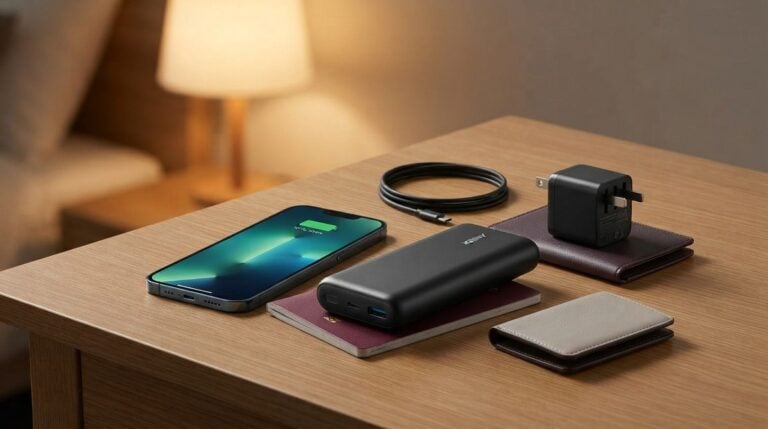
For many drivers, the phone is the working tool that runs everything: navigation, messages, customer calls, payment screens and photos for proof of delivery. When the battery runs low at midday, the day can quickly unravel. The good news is that most battery trouble is caused by habits that are easy to change. This article explains practical steps for charging, managing background activity and keeping the phone cool. None of these steps guarantee a specific battery life, because every device ages differently, but they can help a phone last longer through a full shift.
Understand What Drains a Battery Fastest
A screen at high brightness, a navigation app running continuously and a weak mobile signal are three of the biggest drains on a phone. Video, games and streaming add more load when used in the cab. Background tasks, such as location updates and automatic syncing, also draw power even when you are not looking at the screen. A phone searching for signal in a rural area works harder than one with a strong connection, so it can drain faster on long empty roads.
Knowing this helps you choose where to save energy. You do not have to switch off everything. Instead, decide which functions you truly need during work and turn down the rest.
Set Up the Phone Before the Shift
Start each shift with a full charge, then adjust the settings that matter most. Lower the screen brightness to a comfortable level, use the automatic setting if it suits you and switch on any battery saver mode your phone offers. Readers may also want to visit Top Best One.
Close apps you are not using, and check which ones are allowed to run in the background. Messaging and mail apps may need to stay active, but photo editors, games and social apps rarely do. Turning off unnecessary notifications also reduces how often the screen wakes up in your pocket.
Shift Habits That Save Power
- Keep the navigation volume low and use a hands-free setup.
- Turn off vibration for non-urgent alerts.
- Disable automatic video playback in messaging apps.
- Put the phone in a mount that keeps it away from direct sunlight.
- Use a wired charger in the vehicle rather than a weak adapter.
Each of these habits takes seconds to apply, yet together they reduce the constant drain that makes a phone feel slow by the afternoon. Review the list once a month and drop anything that causes you problems. Small changes you can keep are better than a long list you abandon after a week.
If your phone supports a dark display theme, try it during night shifts. Some drivers find it reduces glare from the screen, and it may also use less power on certain displays. Test it for a week before deciding whether it suits you.
Heat and Charging Mistakes
Heat is one of the quiet enemies of batteries. A phone left on a sunny dashboard or placed against a hot heater can lose capacity faster than expected. Keep it in the shade, use a holder with good airflow, and remove a bulky case if the phone runs warm during long use. If the phone feels hot to touch while charging, unplug it and let it cool before continuing. Keep the charging cable clean and undamaged, and replace it if the connector becomes loose, since a poor connection can make charging slow and cause extra heat.
Charging habits also matter. Try not to let the battery sit at zero for long periods, and avoid charging it under a pillow or blanket where heat builds up. You can also visit al-thai.com for more reading. Follow your phone’s own guidance rather than unverified tips from strangers online.
When to Replace the Battery
If your phone shuts down at a moderate charge level or the battery swells, stop using it and seek qualified repair help immediately. Swelling is a safety issue, not an ordinary sign of wear. For phones that simply lose stamina over time, a professional battery replacement can extend their working life, but compare the cost of repair with the value of a newer device before deciding.
Keep a note of your phone’s battery health reading, if the device shows one, so you can see the trend over months. A small log like this helps you decide when a replacement is due. For a related read on this site, see Setting Up a Reliable Home Network for Video.
A reliable phone is part of your professional kit, much like a good tyre gauge or a well-stocked toolbox. Charge it properly, reduce unnecessary load and treat it with care. A few steady habits can carry you through a long day without the stress of a flat screen at the worst moment.