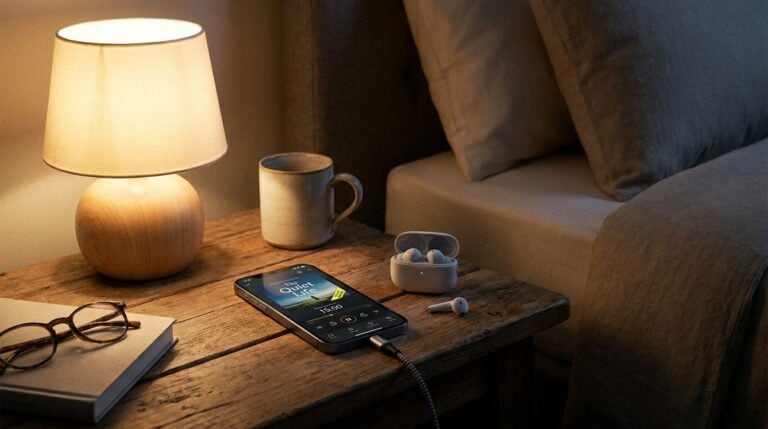
Modern flats are full of devices that need charging: phones, tablets, laptops, headphones, a smart speaker and sometimes a small fan or a lamp. In a single room, the number of sockets is often limited, and it is tempting to plug everything into one strip or a single adaptor. This can work, but it can also create hazards and frustrations that are easy to avoid. This guide describes the most common mistakes and offers practical ways to charge several devices safely from one socket.
Overloading the extension lead
The most common mistake is plugging too many high-demand devices into one extension lead. Each device draws power, and the total can exceed what the lead or socket is designed to carry. Heaters, kettles, hair dryers and some small appliances use a lot of energy, and they should never share a strip with other equipment. Check the rating printed on the lead, and follow the manufacturer’s guidance for each appliance.
Before you plug in, check:
1. The maximum load printed on the lead or adaptor.
2. The power rating of each device you plan to connect.
3. Whether the lead is intact, dry and free of scorch marks.
4. Whether the lead lies flat and is not under a rug.
If you notice a lead that feels warm, smells of burning or makes a crackling sound, unplug it and stop using it. Replace the lead rather than trying to repair it, and avoid tucking it under rugs where heat can build up unseen.
Using cheap, unlabelled adaptors
Low-cost adaptors are sometimes sold without clear safety markings. These may not include the protection features that help prevent overheating or short circuits. When you buy a multi-socket adaptor or a charging hub, look for a recognised safety mark and clear information about the maximum load. Avoid products with no packaging or instructions, since you cannot be sure how they were made.
Readers may also want to visit bTrendie. Reading a short guide makes it easier to spot the marks that matter and to avoid products that look too good to be true.
Forgetting to use the right chargers
Plugging the wrong charger into a device can damage the battery or the port, and it can also slow charging. Use the charger that came with the device, or a replacement that matches the voltage and current it requires. Be careful with very cheap replacement cables, since poor quality cables can overheat or fail. A cable that is bent, frayed or loose at the connector should be replaced rather than used.
Some devices charge more slowly when they share a hub, because the total output is split between ports. If a laptop charges unusually slowly, try it with its own charger on a direct socket to confirm whether the problem is the hub or the device.
Chargers and adaptors generate heat, especially when they are working hard. Place them on a hard, flat surface where air can move around them. Do not cover them with a blanket, a cushion or a pile of clothes, and do not stack several bricks of adaptors on top of one another. A cupboard with no airflow can trap heat and cause problems over time.
Keep charging points clear of dust and water. A bathroom or a kitchen counter near a sink is not a suitable place for an adaptor, however convenient it may seem. Choose a dry, ventilated spot in the living area or at the desk.
Leaving devices charging unattended
Charging overnight is common, but it is wise to use good equipment and to avoid leaving multiple devices charging in a fragile setup. A simple habit is to charge larger devices during the day when you are nearby, and to use a dedicated charger for phones at night. If you notice swelling in a battery, a strong smell or a device that becomes very hot, stop charging immediately and seek advice from the manufacturer or a qualified repair service.
You can also visit Sali Blog for more reading.
A simple charging station plan
A tidy charging station reduces risk and clutter at the same time. Choose one shelf or a small tray in a dry spot, and place a single surge-protected strip with a clear rating on it. Label each charger with a tag so that you know which cable belongs to which device. Keep the station away from curtains, bedding and paper, and check the setup once a month for wear. For a related read on this site, see Spotting Phone Scam Calls and Text Messages Before.
Finally, safe charging is about habits as much as equipment. Good products, sensible loads and regular checks will protect your home and your devices far better than an untidy tangle of leads behind the sofa.