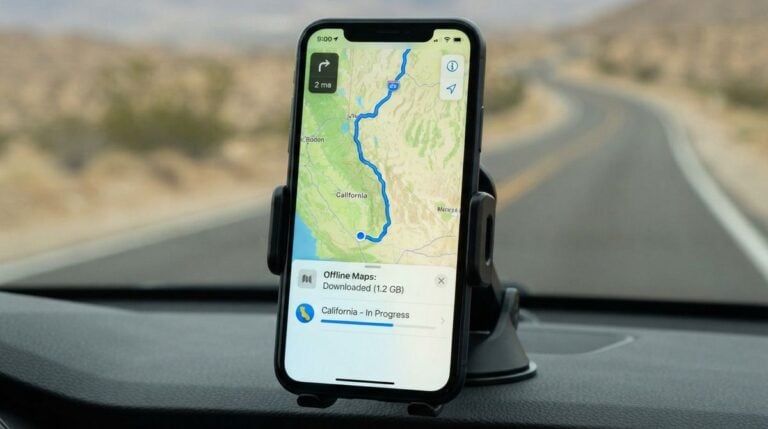
On many rural roads, the phone signal disappears for long stretches. A map app that depends on live data can freeze, stop updating its position, or fail to find a route at the exact moment you need it most. The solution is preparation. Downloading maps, routes, and points of interest before you leave gives you a working guide even when the screen shows no bars at all. This article explains how to set up offline navigation, what to check before a trip, and how to avoid the mistakes that catch many drivers off guard. It is general information, so test your chosen tools at home before relying on them.
Download the right map area
Offline maps are stored on your device, so you need to decide which areas to save. Start with your home town, the nearest larger town, and the main routes between them. Many people also save regional areas where they travel for medical visits, schooling, or work. Download more area than you think you need, since a detour around a closed bridge can take you well outside the original zone. Keep an eye on storage space, because large regional maps can take up a surprising share of a phone’s memory.
Check that the download includes road names, rural lanes, and any named landmarks you use. Readers may also want to visit Dressesenter. Some map layers are light on unpaved tracks, so note any gaps you discover during a test drive. A few minutes of checking at home can prevent a confusing wrong turn on a dark evening far from help.
Save routes and points of interest
Next, save the specific routes you travel most often. Plan them while you still have a connection, and store each one with a clear name, such as Feed Store Loop or Clinic Run. Add points of interest that matter in an emergency, including fuel stations, water sources, hospitals, veterinary clinics, and the nearest repair shop. Many rural travelers keep these locations in a separate saved list so they can find them quickly. The list usually includes:
- Fuel stations and water sources along each route
- Hospitals, clinics, and veterinary offices
- The nearest repair shop and tire service
- Schools, post offices, and feed or supply stores
- Meeting points agreed in advance with family
A useful habit is to write the route on paper as well. Print a simple map with the main turns, distances in miles or kilometers as your region uses, and key landmarks. Paper does not need a battery, and a printed copy can be read in bright sunlight, where some screens struggle.
Test before you need it
Testing is where most offline setups succeed or fail. Turn on airplane mode, close any app that uses data, and try to navigate a route you know well. Check whether the blue dot tracks your position, whether turns are announced correctly, and whether the app can recalculate if you miss a turn. Many drivers are surprised that some apps still ask for a connection to search for a destination, even when the route itself is stored. If that happens, save the destination in advance.
You can also visit 10Shavers for more reading. These resources explain why signal loss affects positioning, what kinds of map errors are common in rural areas, and how to cross-check a route against road signs. Reading a few well-written guides before a long trip can give you a sense of the tool’s limits.
Avoid common mistakes
The most common mistake is trusting a route without comparing it to the road in front of you. Rural roads change, and a map may show a lane that has been closed or gated. Always watch for signs, fences, and posted limits, and be ready to stop if the road looks unsafe. Another mistake is leaving navigation running at full brightness, which drains the battery quickly. Carry a car charger and a backup battery pack. Some drivers also forget to update maps before a trip, so set a reminder to refresh the saved areas every few months when a connection is available.
Finally, keep a plan for when the device fails. Carry a paper map of your region, a written list of key destinations, and a charged phone with a spare battery. If you travel with others, make sure at least one person knows the planned route. A simple backup plan turns a stressful situation into a manageable detour. For a related read on this site, see Setting Up Video Calls With Grandchildren: A Step-by-Step.
Offline navigation gives country drivers something valuable: confidence that the route will still work when the signal does not. Download the maps you need, save your regular routes and key locations, and test the setup before every long trip. Keep paper as a backup and check the road against your screen. With a little preparation, a long drive through open country becomes far less uncertain.